
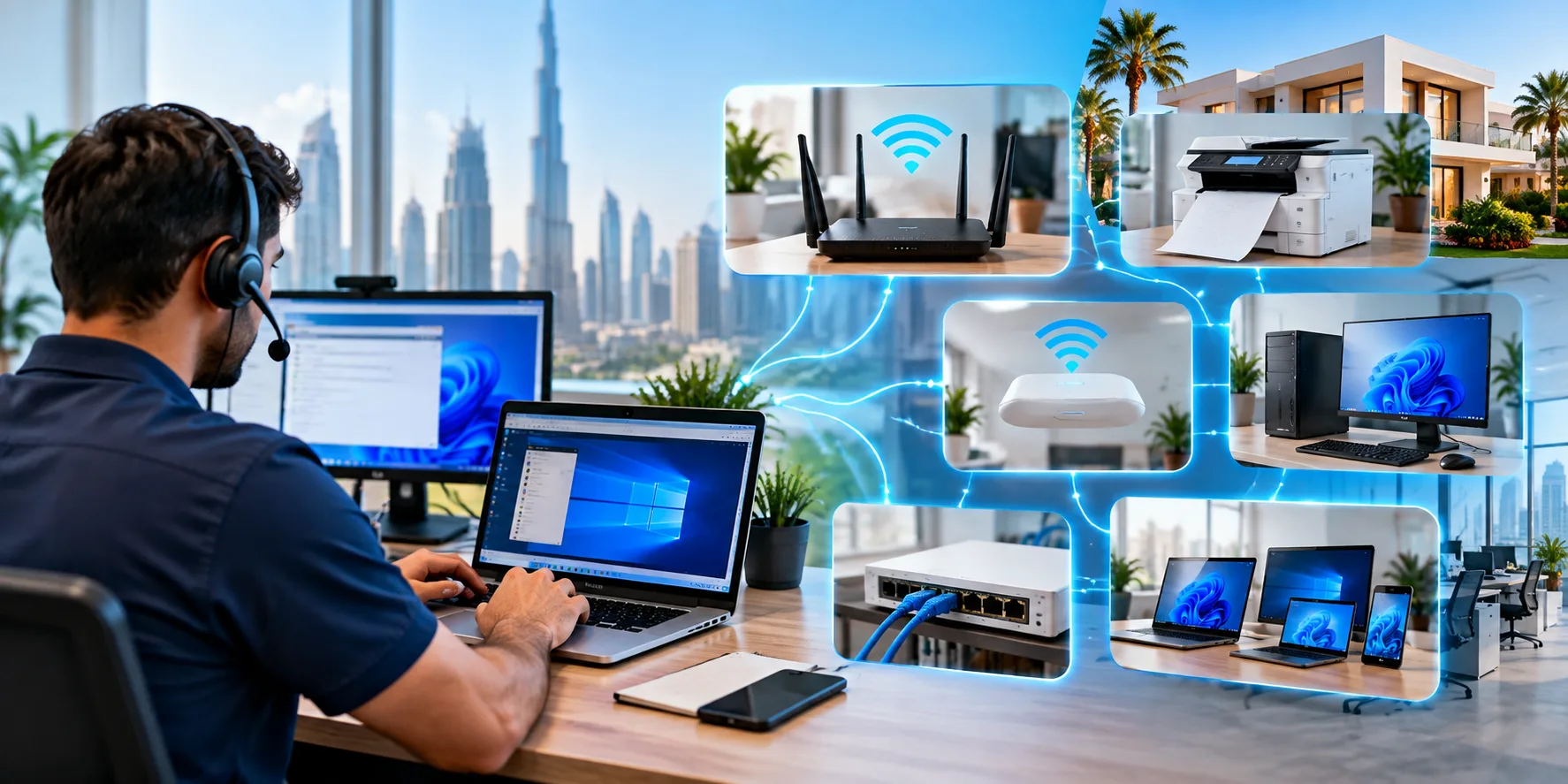
Professional remote IT support helps Dubai residents and businesses resolve common technology problems quickly without waiting for an onsite visit. When a router stops working, a printer refuses to connect, a WiFi network drops during a meeting, or a computer cannot reach the internet — a technician can often diagnose and fix the issue over the internet within the same working session.
Our remote IT support services Dubai cover router configuration, printer setup, WiFi troubleshooting, network configuration, LAN setup, Windows support and much more. This page explains exactly what we can fix remotely, what requires an onsite visit, how the process works, and how to get started.
What This Page Covers
- Our Remote IT Services
- Router Configuration & Setup
- WiFi Setup & Troubleshooting
- Printer Setup & Network Printing
- LAN & Network Configuration
- Computer & Laptop Support
- Office IT Support
- Home & Villa IT Support
- Network & File Sharing
- Internet Troubleshooting
- Recent Work
- Areas We Serve
- Frequently Asked Questions
Our Remote IT Support Services in Dubai
Below are the categories of work we handle for clients across Dubai. Each service is available remotely where technically possible, or onsite where physical access is required.
Remote Router Configuration
Router setup, WiFi name and password changes, security configuration, guest networks, port forwarding, QoS and firmware updates.
Configure RouterRemote Printer Setup
Network printer configuration, driver installation, wireless printer setup, printer sharing and troubleshooting printing issues.
Setup PrinterRemote WiFi Support
WiFi configuration, channel optimisation, dead zone troubleshooting, guest network setup, extender configuration and access point setup.
Fix My WiFiRemote Network Support
Network configuration, IP address setup, DHCP and DNS configuration, network troubleshooting and connectivity issues.
Fix NetworkLAN Configuration
LAN network setup, Ethernet configuration, IP address planning, switch configuration and LAN troubleshooting.
Configure LANRemote Computer Support
Slow computers, Windows errors, software installation, driver installation, PC optimisation and system cleanup.
Start SessionRemote Windows Support
Windows troubleshooting, update problems, driver conflicts, system errors and operating system configuration.
Fix WindowsNetwork & File Sharing
Shared folder setup, network drive mapping, file sharing configuration and Windows network sharing troubleshooting.
Setup SharingOffice IT Support
Small office network setup, office WiFi configuration, printer sharing, computer support and remote office IT help.
Support My OfficeHome IT Support
Home network setup, home WiFi configuration, home computer support and troubleshooting for family devices.
Support My HomeVilla IT Support
Villa network configuration, villa WiFi support, multiple access point setup and connected device troubleshooting.
Support My VillaInternet Troubleshooting
Internet connection problems, no internet access, slow internet troubleshooting and connectivity diagnosis.
Fix My InternetRouter Configuration and Setup in Dubai
Router configuration is one of the most common remote support tasks. Whether you have just bought a new router, switched internet providers, or need to change your WiFi settings, a technician can usually handle this remotely if the router is already connected to the network.
What router configuration includes
- Setting up or changing WiFi name (SSID) and password
- Selecting the best WiFi channels to reduce interference
- Configuring security settings (WPA2/WPA3 encryption)
- Setting up a guest network for visitors
- Configuring parental controls and device management
- Port forwarding for specific applications or services
- QoS (Quality of Service) settings to prioritise video calls or work traffic
- Firmware updates for security and stability
- DHCP scope configuration for IP address management
- Backup and restore of router configuration
Router setup for specific scenarios
Home Router Setup
For home users, our router setup service covers everything from initial configuration to changing your WiFi password. If you have just moved into a new home or switched ISPs, we can configure your router to work with your new connection.
Villa Router Setup
Villas often need more than a single router. Villa router configuration may involve setting up a central router with additional access points or a mesh system, ensuring the network is designed for full villa coverage. Some parts of this require onsite work, but the configuration itself can often be done remotely once physical equipment is in place.
Office Router Configuration
For businesses, office router configuration involves setting up network segmentation (staff, guest, IoT), configuring QoS for business applications, and applying stronger security policies. This is often handled remotely, though initial physical installation may require a visit.
Mesh Router Setup
Mesh router setup involves configuring multiple mesh nodes to work as a single network. Once the nodes are physically installed, most of the configuration — network name, security, channel selection — can be handled remotely.
Dual Band Router Setup
Dual band router setup involves configuring both 2.4 GHz and 5 GHz WiFi networks. Each band has different strengths — 2.4 GHz for range, 5 GHz for speed — and configuring them properly gives better performance across your devices.
Router troubleshooting
Router troubleshooting covers issues such as:
- Router not connecting to the internet
- WiFi network visible but no internet access
- Router dropping connections repeatedly
- Devices not obtaining IP addresses
- Router admin interface inaccessible
- Router overheating or failing after long use
- Firmware update failures
If the issue is a configuration problem, it can often be diagnosed and resolved remotely. If the router hardware itself has failed, an onsite replacement may be needed.
WiFi Setup and Wireless Troubleshooting
WiFi problems are among the most common reasons clients contact us for remote technical support. Because WiFi issues can stem from the router, the devices, or the environment, proper diagnosis matters.
WiFi setup services
Our WiFi setup service includes configuring your wireless network from scratch, whether in a new home, a villa, or an office. Key considerations include:
- Selecting the right hardware for the space (router, access points, mesh system)
- Placement to minimise dead zones
- Channel selection to avoid interference from neighbouring networks
- Security configuration for safe use
- Guest network separation
Wireless troubleshooting
Wireless troubleshooting covers a range of issues:
- Slow WiFi speeds
- WiFi dropping constantly
- Dead zones in parts of the property
- Devices not connecting to WiFi
- WiFi shows connected but no internet
- Weak signal in specific rooms
- WiFi interference from nearby networks
Many WiFi configuration issues can be handled remotely if the technician can access the router. Coverage problems — where the signal simply does not reach certain areas — require an onsite visit and a WiFi survey to measure signal strength accurately.
WiFi coverage solutions
For homes and villas with coverage problems, WiFi coverage solutions typically involve one of the following approaches:
- WiFi extender setup — extending coverage from an existing router
- Mesh WiFi system — multiple nodes working as one network
- Access point configuration — professional-grade access points connected by Ethernet
- Wireless access point installation — positioned strategically for optimal coverage
Each solution has trade-offs in cost, performance, and complexity. A WiFi technician can recommend the right approach based on your property and needs. If the problem is a coverage dead zone specifically, additional access points or mesh nodes are usually required — this generally needs an onsite installation.
Printer Setup and Network Printing
Printer setup sounds simple but often causes significant frustration — especially when setting up network printing across multiple computers. Remote support is often the ideal approach for printer configuration issues.
Printer configuration service
Our printer configuration service covers:
- Connecting printers to WiFi networks
- Installing printer drivers on each computer
- Setting up network printers with fixed IP addresses
- Configuring printer sharing between computers
- Setting default printers and preferences
- Troubleshooting printing issues
Wireless printer setup
Wireless printer setup allows you to print from any device on your network without a physical cable connection. This is convenient for homes and offices with multiple computers, phones and tablets. Setup involves connecting the printer to your WiFi network, installing drivers, and configuring each device to print to it.
Network printer setup for offices
Network printer setup is the preferred approach for offices and shared environments. A network printer connects directly to your network and is accessible from all authorised computers — no host computer needs to be switched on. Setup involves:
- Connecting the printer via Ethernet or WiFi
- Assigning a static IP address
- Installing drivers on each computer
- Configuring sharing permissions
- Testing printing from each device
Printer troubleshooting
Common printing issues we handle remotely:
- Printer showing offline
- Printer not printing documents
- Printer not visible on the network
- Print jobs stuck in the queue
- Printer connection problems
- Driver issues on specific computers
- Scanner not working with the printer
Printer network troubleshooting usually involves checking the printer's network status, verifying IP settings, and confirming the connection between the printer and the computers. Most of this can be handled remotely.
Scanner setup
Scanner setup and configuration services are commonly requested alongside printer setup. Scanners can be configured to scan directly to email, cloud storage, or a shared folder — useful for both home and office environments.
LAN and Network Configuration Services
Network configuration covers the physical and logical setup of your network — from individual computer settings to full office LAN infrastructure.
LAN network setup
LAN network setup involves designing and configuring a local area network. For homes and offices, this typically includes:
- Connecting a router or firewall to your internet line
- Adding a network switch for multiple wired connections
- Running Ethernet cabling to workstations
- Configuring IP addressing (usually via DHCP)
- Setting up shared resources like printers and folders
Network setup for homes, villas and offices
Our network setup service covers homes, villas, and offices. Every network begins with proper planning — understanding what devices need to connect, how much bandwidth is required, and whether wireless or wired connections are appropriate.
Network configuration
Network configuration includes:
- IP address planning — static vs. dynamic addressing
- TCP/IP settings — correct network settings on each device
- DHCP configuration — automatic IP address management
- DNS configuration — name resolution settings
Network troubleshooting
Network troubleshooting covers:
- Network connection problems
- Computers unable to reach the internet
- Network devices not communicating with each other
- Slow network performance
- Network sharing issues
- Ethernet port problems
- Network switch configuration issues
Network switch configuration
Network switch configuration services include both managed and unmanaged switch setup. Managed switches allow VLANs, port configuration, and monitoring — useful for offices. Unmanaged switches are plug-and-play, suitable for smaller networks. Configuration of managed switches can often be done remotely.
Access point configuration
Access point configuration involves setting up wireless access points to extend WiFi coverage or provide dedicated wireless connectivity in specific areas. Once installed physically, access point configuration is usually handled remotely through the access point's admin interface.
Computer and Laptop Support
Remote computer support covers a wide range of software and configuration issues affecting desktops, laptops and workstations.
Common computer problems we fix remotely
- Slow computer performance
- Windows errors and crashes
- Software installation and configuration
- Driver installation and update issues
- Startup problems
- Application errors
- System optimisation and cleanup
- New laptop setup and migration
- Desktop computer setup
- User account configuration
Remote laptop support
Remote laptop support lets us handle most software issues on your laptop without you needing to bring it anywhere. Once connected, we can troubleshoot, install software, fix errors, and optimise performance — all while you watch.
Windows support and troubleshooting
Windows support and troubleshooting cover:
- Windows update failures
- Blue screen errors
- Performance issues
- Driver conflicts
- System file corruption
- Windows activation issues
- User profile problems
- Startup configuration
Laptop WiFi troubleshooting
If your laptop shows WiFi connectivity but has no internet, cannot see networks, or drops connection repeatedly, laptop WiFi troubleshooting can often resolve it remotely. Common causes include incorrect network settings, driver issues, or profile conflicts.
Office IT Support
Office IT support covers the setup and maintenance of technology in business environments. Remote support is often ideal for offices because most issues can be resolved without interrupting work.
Office network setup
Office network setup involves designing and installing a network suited to business needs — usually with wired connections for workstations, dedicated WiFi for mobile devices and guests, and adequate capacity for business applications.
Small office network setup
Small office network setup is a common service for startups and small businesses. A properly configured small office network typically includes:
- A business-grade router or firewall
- A network switch for wired connections
- WiFi access points for wireless devices
- Separate networks for staff and guests
- Shared printers and file storage
Office WiFi setup
Office WiFi setup requires careful planning. Offices often need higher capacity than homes, plus guest network separation and better security. Coverage must extend across the entire office, including meeting rooms and common areas.
Small business and SME IT support
Our small business and SME IT support services provide ongoing technology support for businesses that do not have in-house IT staff. This typically includes network support, computer support, printer configuration, and troubleshooting — all available remotely.
Remote office IT support
Remote office IT support lets businesses resolve most IT issues without waiting for an onsite visit. This is especially valuable for small offices where a single technical issue can disrupt productivity. Common remote tasks include printer setup, network configuration, WiFi troubleshooting, and user account management.
Home and Villa IT Support
Home IT support and villa IT support cover technology support for residential properties. Because homes and villas have unique challenges, remote support has become a practical first step for many issues.
Home IT support
Home IT support includes:
- Home network setup — configuring a home network with reliable coverage
- Home WiFi setup — setting up home WiFi for optimal performance
- Home router configuration — configuring the home router correctly
- Home printer setup — installing and configuring home printers
- Home computer support — troubleshooting home computers and laptops
- Home network troubleshooting — fixing network issues in the home
- Home internet troubleshooting — diagnosing internet connectivity issues
- Home LAN setup — setting up wired connectivity for key devices
Villa IT support
Villa IT support addresses the specific challenges of large properties:
- Villa network setup — designing networks for multi-floor villas
- Villa WiFi setup — ensuring coverage across all floors and outdoor areas
- Villa router configuration — configuring routers plus access points for villa coverage
- Villa printer setup — setting up printers accessible throughout the villa
- Villa computer support — supporting all computers in the villa
- Villa network troubleshooting — fixing issues in villa networks
- Villa internet troubleshooting — diagnosing internet problems in villas
- Villa LAN setup — configuring wired connections for key devices
For remote IT support for villas, most software and configuration issues can be handled remotely. Physical coverage problems — like WiFi dead zones — require onsite visits with proper measurement tools.
Network and File Sharing Configuration
File sharing setup lets multiple computers on the same network access shared files and folders. This is useful for homes with multiple computers, and essential for offices where teams collaborate on documents.
Shared folder setup
Shared folder setup involves creating a folder on one computer, configuring sharing permissions, and granting access to specific users or computers on the network. Windows file sharing and network sharing settings must be configured correctly.
Network file sharing
Our network file sharing and Windows file sharing services cover:
- Configuring file sharing permissions
- Setting up shared folders on individual computers
- Mapping network drives for easier access
- Configuring shared access with password protection
- Troubleshooting file sharing issues
Printer sharing
Printer sharing allows one printer to be used by multiple computers. There are two main approaches:
- Shared printer configuration — one computer shares its printer with others (requires that computer to be on)
- Network printer setup — the printer connects directly to the network and is accessible independently
For offices and busy households, network printer setup is generally preferable because it does not depend on any single computer being switched on.
Network drive setup
Network drive setup and mapped drive services make shared folders appear as local drives on each computer. This makes accessing shared files more convenient — the shared folder appears in File Explorer alongside local drives.
Computer to computer network setup
Computer to computer network setup and PC network sharing cover direct connection between two or more computers for file and printer sharing. This can be done through a network switch, WiFi network, or direct Ethernet cable in some cases.
Internet Troubleshooting
Internet troubleshooting addresses connectivity problems that prevent access to online services. Remote support is often an effective way to diagnose these issues.
Common internet problems we handle
- Internet connection problems — connection drops or unstable service
- No internet access — no internet on any device
- Slow internet — speeds lower than expected
- Ethernet not working — wired connections failing
- WiFi not connecting — unable to join the WiFi network
- Computer not connecting to internet — the device cannot access the internet
- Laptop not connecting to WiFi — laptop cannot see or join networks
- Router internet problems — router unable to reach the internet
- No internet connection — complete loss of internet access
How we troubleshoot internet issues
Diagnosis follows a logical sequence:
- Check whether the issue affects one device or the whole network
- Verify the router's status and connection to the ISP
- Check the internet provider's status for local outages
- Review the affected device's network settings
- Test DNS resolution and IP configuration
- Restart the router and modem if needed
- Apply fixes based on the diagnosis
Most connectivity issues can be diagnosed remotely. Physical line faults or hardware failures may require onsite investigation or a call to your ISP.
Common Issues We Recently Resolved
Below are examples of the types of jobs we handle. Each entry is based on a real support request we have worked on — replace these with your own recent jobs before publishing.
[Replace: brief job title]
[Replace with a short, factual description of a real job — for example, what the client's problem was, what you did, and the outcome. Do not invent case studies.]
[Replace: brief job title]
[Replace with a short, factual description of a real job you handled for a villa — coverage issue, mesh installation, or similar.]
[Replace: brief job title]
[Replace with a short, factual description of a real router configuration job — for example, an ISP switch, guest network setup, or firmware fix.]
[Replace: brief job title]
[Replace with a short, factual description of a real office LAN or network job you completed.]
Areas We Serve in Dubai
Remote IT support is available anywhere in Dubai with an internet connection. Our onsite services (for issues that require physical presence) cover the following areas:
Contact and Booking
Get in Touch
Frequently Asked Questions About Remote IT Support in Dubai
How to configure a router in Dubai?
Router configuration involves connecting the router to your internet line, accessing its admin interface, setting up your WiFi name and password, choosing the right channels, configuring security and, where needed, setting up guest networks or port forwarding. A technician can usually do this remotely if you have access to the router's admin panel, or onsite if physical installation is required.
How do I connect my printer to WiFi?
To connect a printer to WiFi, you typically use the printer's control panel to select your wireless network and enter the WiFi password. You then install the printer driver on each computer that needs access. For network printers, the printer receives its own IP address on your network. A technician can guide you through this remotely or set it up for you.
How do I set up a network printer in an office?
Setting up a network printer in an office involves connecting the printer to the network (via Ethernet or WiFi), assigning it a static IP address, installing drivers on each computer, and configuring printer sharing. For offices with many computers, centralised print management may also be needed. This can often be configured remotely.
How do I connect multiple computers to one printer?
Multiple computers can connect to one printer either through a network printer setup (where the printer is on the network and each computer connects directly) or through printer sharing (where one computer shares the printer with others). Network printer setup is generally more reliable for offices, since it does not depend on a single host computer being switched on.
How do I set up a LAN network in an office?
An office LAN setup involves connecting a router or firewall to your internet line, adding a network switch if you need multiple wired connections, running Ethernet cabling to workstations, and configuring IP addressing. WiFi access points can also be added for wireless devices. Network design, cabling and configuration can all be handled by an IT technician.
How can I improve WiFi coverage in my villa?
Improving WiFi coverage in a villa usually requires more than a single router. The most effective approach is a mesh WiFi system with multiple nodes, or additional access points connected via Ethernet cabling. A site survey identifies dead zones and determines where to place equipment for the best coverage across all floors and outdoor areas.
Why is my laptop connected to WiFi but has no internet?
If your laptop shows a WiFi connection but has no internet, common causes include a router problem, an ISP outage, incorrect DNS settings, an expired IP address, or a firewall blocking access. Checking other devices on the same network helps narrow down whether the issue is with your laptop or the wider network. A technician can diagnose this remotely in most cases.
Why does my printer show offline?
A printer showing offline usually means the computer cannot communicate with it. Common causes include a lost network connection, a changed IP address, an inactive sleep mode, or a driver issue. Restarting the printer and checking its network status often resolves it. For persistent cases, a technician can diagnose and fix it remotely.
How do I share a printer between office computers?
Printer sharing between office computers is usually done by connecting the printer to the network and installing it on each computer. Alternatively, one computer can share the printer with others, though this requires that computer to be switched on. Network printer setup is more reliable for offices.
How do I configure an IP address on a computer?
IP addresses can be assigned automatically by DHCP (typical for most devices) or manually as a static IP for devices like printers and servers. Configuration is done through the network settings of the operating system. For most home and office networks, DHCP handles IP addressing automatically, but specific devices may benefit from a static address.
How do I set up a shared folder on a local network?
Setting up a shared folder involves creating a folder on one computer, enabling sharing permissions, and giving other computers on the same network access. In Windows, this is done through folder properties and network sharing settings. For offices, mapped network drives or a NAS device may be a better solution.
Can an IT technician configure my router remotely?
Yes — router configuration is one of the most common remote support tasks. If your router is already working and accessible on the network, a technician can connect to its admin interface remotely and configure WiFi settings, security, guest networks, port forwarding and more. Physical installation of a new router requires an onsite visit.
Can a printer be configured remotely?
Yes — network printers can usually be configured remotely. The technician installs drivers, sets the printer's IP address, configures sharing and tests printing from your computer. Physical printer installation (unboxing, cable connection, initial setup) requires an onsite visit, but software configuration can be handled remotely.
Can WiFi problems be fixed remotely?
Some WiFi problems can be fixed remotely, and some cannot. Router configuration, channel optimisation, guest network setup and firmware updates can be handled remotely if the technician can access the router's admin panel. Coverage problems, dead zones and physical placement issues require an onsite visit with a WiFi survey tool.
How much does remote IT support cost in Dubai?
Pricing depends on the type of issue, the time required, and whether the work is remote or onsite. Remote sessions can cost less than an onsite visit because no technician travel is required. Contact us for a quotation tailored to your specific requirement.
Who provides remote network support in Dubai?
Remote network support in Dubai is provided by IT support companies, network technicians and freelance IT specialists. Look for a provider who offers both remote and onsite support, has verifiable reviews, and can handle router configuration, printer setup, WiFi troubleshooting, LAN configuration and general network issues.
How do I connect office computers through LAN?
Connecting office computers through LAN involves a network switch, Ethernet cabling to each workstation, and a router or firewall managing IP addressing and internet access. Each computer connects to the switch, receives an IP address automatically, and can then access shared resources. This setup can be designed and configured by a network technician.
How do I set up WiFi for a small office?
Setting up WiFi for a small office involves placing a business-grade router, adding access points if needed for coverage, configuring separate networks for staff and guests, and applying security settings. Careful placement and channel selection avoid interference. A technician can handle the design and configuration.
How do I configure a wireless access point?
Configuring a wireless access point involves connecting it to your network via Ethernet, accessing its admin interface, setting the WiFi name and password, selecting the right channel, and configuring security. Where multiple access points are used, they should be set to work together for seamless roaming. This can often be configured remotely once the access point is physically connected.
How do I troubleshoot a home network?
Troubleshooting a home network usually starts with checking the router, restarting devices, and verifying that other devices have internet access. If the problem is isolated to one device, it may be a WiFi or software issue. If the whole network is affected, the router or ISP line may be the cause. A technician can diagnose most home network issues remotely.
The Bottom Line: Remote IT Support That Works
Remote IT support Dubai has changed how individuals and businesses handle technical issues. Instead of waiting for an onsite visit, most problems can now be diagnosed and resolved remotely — often the same day you contact a provider.
Whether you need router configuration, printer setup, WiFi troubleshooting, network support, or help with a specific computer issue, remote support offers a fast, professional way to get things working again. The limits are honest: hardware failures, physical installations and WiFi coverage problems still require an onsite visit — and the best providers offer both remote and onsite support.
If you are looking for reliable remote IT support Dubai — for your home, villa or office — describe the issue and get an honest answer about whether it can be handled remotely. In many cases, the answer is yes — and the fix can happen today.
Looking for villa-specific remote support?
See Remote IT Support for Villas in Dubai