
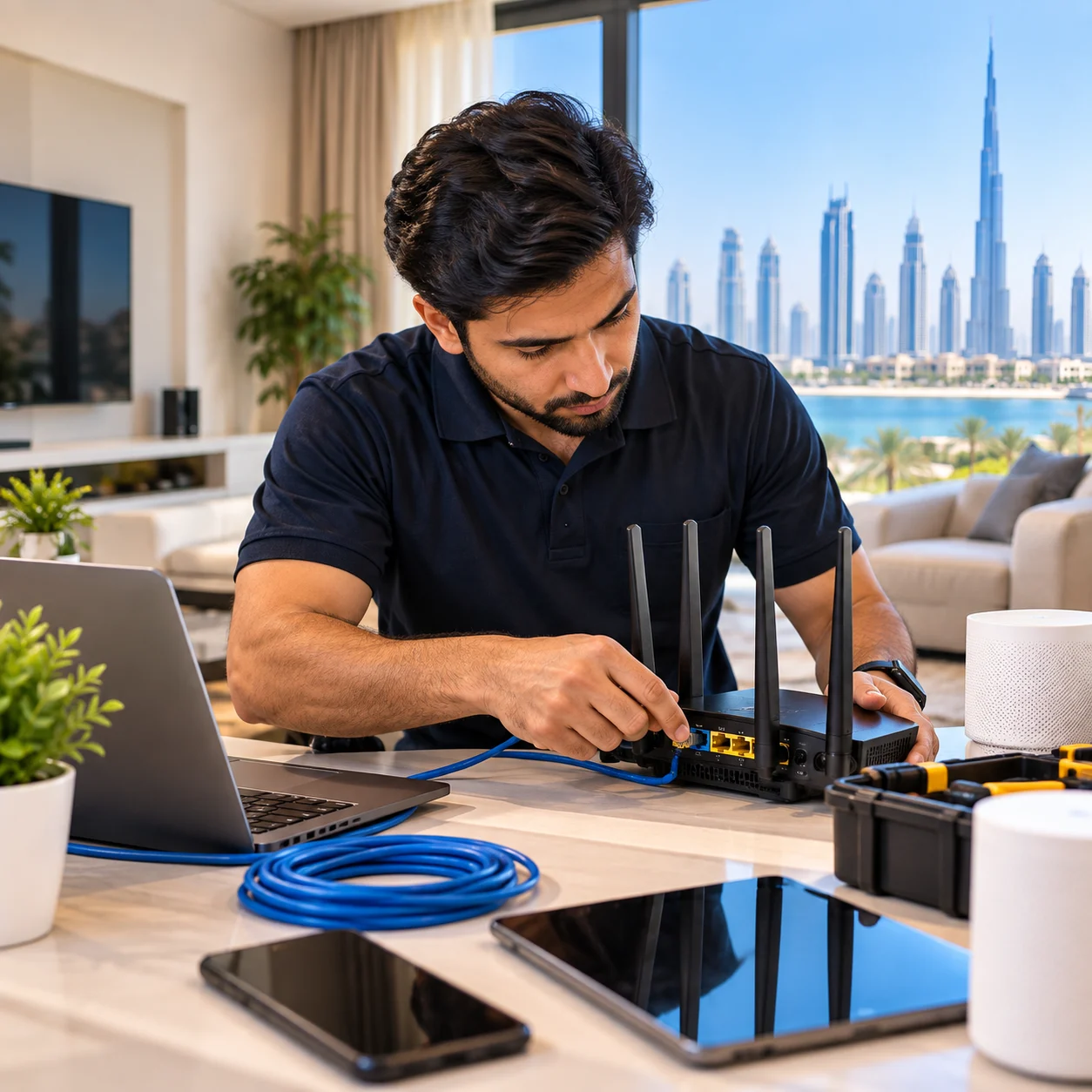
Professional home IT support helps Dubai residents resolve everyday technology problems quickly — without waiting days for a technician or struggling through generic troubleshooting advice. Whether a laptop has become slow, a printer shows offline, a router has stopped working, or WiFi keeps disconnecting in the bedroom, most issues can be diagnosed and fixed quickly — remotely or onsite.
Our home IT support services Dubai cover computer repair, WiFi troubleshooting, router configuration, home network setup, printer configuration, virus removal, and remote home office support. This page explains what we can fix, how the process works, what to expect in terms of cost, and how to get started.
What This Page Covers
- Our Home IT Services
- Home Computer Support
- Home WiFi Support
- Router Setup & Configuration
- Home Network Setup
- Printer Setup & Support
- Virus & Malware Removal
- Home Office IT Support
- Remote Home IT Support
- Brands & Devices Supported
- Common Home IT Problems We Fix
- Pricing Guidance
- Areas We Serve
- Frequently Asked Questions
Our Home IT Support Services in Dubai
Below are the categories of work we handle for home users across Dubai. Each service is available remotely where technically possible, or onsite where physical access is required.
Home Computer Support
Slow computers, Windows errors, software installation, driver issues, system optimisation and general troubleshooting.
Home WiFi Support
WiFi configuration, slow WiFi troubleshooting, dead zone solutions, guest networks and coverage improvement.
Router Setup & Configuration
Router setup, WiFi name and password, DHCP, DNS, guest networks, dual-band configuration and connection problems.
Home Network Setup
Home network design, router placement, access point configuration, Ethernet setup and network troubleshooting.
Mesh WiFi Setup
Mesh WiFi installation for multi-floor homes and villas, seamless roaming and full-coverage wireless networks.
Printer Setup & Support
WiFi printer setup, driver installation, printer sharing between home computers and troubleshooting printing issues.
Virus & Malware Removal
Full virus removal, malware cleanup, antivirus installation and security hardening for home computers.
Internet Troubleshooting
Internet connection problems, slow internet, WiFi connected but not working, and general connectivity diagnosis.
Home Office IT Support
Home office setup, docking stations, monitors, video call configuration, VPN access and reliable work connectivity.
Remote Home IT Support
Remote computer support, remote virus removal, remote software installation and configuration — handled online.
Villa IT Support
Villa network and WiFi support, multi-floor coverage solutions, mesh WiFi installation and device troubleshooting.
Home Computer Support
Home computer support covers a wide range of software and configuration issues affecting laptops, desktops and family computers. Many problems can be fixed remotely — you do not need to disconnect anything or take your computer anywhere.
Common computer problems we fix
- Computer running slow
- Windows errors, crashes and blue screens
- Software installation and updates
- Driver installation and conflicts
- Startup problems and long boot times
- Application errors and freezes
- System cleanup and optimisation
- New laptop setup and data migration
- User account and profile issues
Onsite vs. remote computer support
Most software-related computer problems can be handled remotely. This means faster response times, no technician visit required, and often lower cost since no travel is involved. Hardware problems — failing drives, broken screens, dead power supplies — require an onsite visit and physical diagnosis.
Home WiFi Support in Dubai
WiFi problems are among the most common reasons households contact us. Slow speeds, dead zones, dropped connections, and devices that refuse to connect all have specific causes — and specific fixes. Proper diagnosis matters because a "slow WiFi" issue might be caused by the router, the device, the internet line, or the environment.
Common WiFi issues we handle
- WiFi not working
- WiFi keeps disconnecting
- Slow WiFi speeds
- Weak WiFi upstairs or in a specific room
- WiFi not reaching the bedroom
- Devices unable to connect to WiFi
- WiFi connected but internet not working
- Router settings and configuration issues
- WiFi password and security changes
- Guest WiFi network setup
WiFi coverage solutions
For homes with coverage problems — particularly villas or multi-floor apartments — we install and configure:
- WiFi extenders — for small coverage gaps
- Mesh WiFi systems — for whole-home coverage as a single network
- Additional access points — for larger properties needing maximum reliability
Extenders are inexpensive but often deliver mixed results. Mesh systems provide better coverage with seamless roaming between nodes. Professional access points, connected by Ethernet where possible, deliver the best performance. A technician can recommend the right approach based on your property.
Router Setup and Configuration
Router configuration is one of the most common home IT tasks — and one of the easiest to get wrong. Whether you have just bought a new router, switched internet providers, or need to change your WiFi settings, a technician can handle most of this remotely if the router is already connected to your home network.
What router setup and configuration includes
- Router setup and initial configuration
- WiFi name (SSID) and password configuration
- Selecting the best WiFi channels to reduce interference
- Security configuration — WPA2 / WPA3 encryption
- Setting up a guest WiFi network
- DHCP configuration for automatic IP address management
- DNS configuration for reliable name resolution
- Dual-band configuration (2.4 GHz and 5 GHz WiFi networks)
- QoS settings to prioritise video calls or work traffic
- Port forwarding for specific applications
- Parental controls and device management
- Firmware updates for security and stability
Router placement for better coverage
Router placement has a significant effect on WiFi performance. Placing the router in a central, open location — not inside a cabinet, behind a TV, or in a corner — usually improves coverage across the home. For larger properties or multi-floor homes, a single router cannot cover the whole space, no matter how well it is configured.
We assess router placement as part of every WiFi setup. Where a single router cannot cover the property, we recommend a mesh system or additional access points for full coverage.
Router connection problems we fix
- Router not working — no internet from the router
- Router showing connected but no internet access
- Router repeatedly dropping connections
- Devices unable to obtain IP addresses
- Router admin panel not accessible
- Firmware update failures
- Router overheating after long use
- Router unable to connect to the ISP
Most router configuration and troubleshooting issues can be handled remotely if the router is already installed and reachable on the network. Physical installation of a new router requires an onsite visit.
Home Network Setup and Support
Home network setup involves designing and configuring a network that delivers reliable connectivity throughout the property. Whether you are moving into a new home or upgrading an existing setup, proper planning makes a real difference.
What home network setup includes
- Router placement based on signal survey
- WiFi configuration with security settings
- Access point or mesh node installation
- Network name and password configuration
- Guest network separation
- Connecting all home devices (TVs, printers, cameras, smart devices)
- Ethernet cabling for key locations where needed
Home network troubleshooting
Network troubleshooting covers issues such as:
- Computers unable to reach the internet
- Internet connected but not working
- Devices not communicating with each other
- Slow network performance
- Network printers not accessible
- Ethernet connection failures
- IP address conflicts
- DNS resolution problems
Most network troubleshooting can be handled remotely if the network is functional enough for the technician to connect. Physical cable faults or hardware failures require an onsite visit.
Printer Setup and Support
Printer setup is one of the most requested home IT services — and one of the most frustrating for users to handle alone. Printers rarely "just work," especially when multiple computers need access.
What printer support includes
- Wireless printer setup
- Connecting printers to your WiFi network
- Installing printer drivers on each computer
- Configuring network printing
- Printer sharing between multiple computers
- Setting default printers and preferences
- Scanner setup and configuration
Printer troubleshooting
Common printing issues handled remotely:
- Printer offline
- Printer not printing documents
- Printer visible on the network but unresponsive
- Print jobs stuck in the queue
- Driver errors on specific computers
- Scanner not working
Virus and Malware Removal
Virus and malware infections are a common problem for home computers. Symptoms include slow performance, unwanted pop-ups, browser redirects, unexplained files, and system instability.
What virus removal includes
- Full malware scan and diagnosis
- Removal of viruses, trojans, ransomware and spyware
- Browser cleanup and reset of hijacked settings
- Installation of professional antivirus software
- Security hardening to prevent recurrence
- Advice on safe browsing habits
Most virus removal can be handled remotely within one to two hours, depending on the severity of the infection. Physical issues caused by malware damage may occasionally require onsite attention.
Home Office IT Support
With so many Dubai residents working from home at least part of the week, a reliable home office setup has become essential. A proper home office involves more than a desk and a chair — it needs stable connectivity, the right peripherals, and secure access to work systems.
Home office setup services
- Docking station configuration for laptops
- Dual or triple monitor setup
- Video call optimisation (camera, microphone, lighting)
- Secure VPN setup for corporate access
- Reliable wired or dedicated wireless connectivity
- Backup systems for work files
- Microsoft 365 and email configuration
- Printer and scanner integration
The goal is a home office that works as reliably as a corporate office — with a stable internet connection, working peripherals, and secure access to work resources.
Remote Home IT Support
Remote home IT support lets us resolve many technical issues without visiting your home. You connect to a secure remote session, share the code with the technician, and they work on the problem while you watch.
What can be fixed remotely
- Virus and malware removal
- Software installation and configuration
- Windows troubleshooting and updates
- Email setup and configuration
- Printer software and driver issues
- Network printer configuration
- Slow computer diagnosis and optimisation
- System cleanup and performance tuning
- Backup configuration
- General technical advice and troubleshooting
What requires an onsite visit
- Hardware failures and physical repairs
- WiFi coverage problems that need a signal survey
- Installing new hardware (routers, access points, mesh systems)
- Cable installation
- Hardware upgrades (SSD, RAM, etc.)
- Physical printer setup (unboxing, cable connection)
The best approach usually combines both. Remote support handles software and configuration issues quickly and affordably. Onsite visits handle anything physical, including network installation and hardware work.
Brands and Devices We Support
We work with a wide range of consumer and business-grade equipment. If your device is not listed here, ask before booking — we will confirm whether we can support it.
Routers & Networking
TP-Link, D-Link, ASUS, Netgear, Linksys, Ubiquiti UniFi, MikroTik — home and business routers, mesh systems and access points.
Printers & Scanners
HP, Canon, Epson, Brother, Xerox — wireless printers, network printers, all-in-one devices and scanners.
Computers
Windows laptops and desktops from all major brands — Dell, HP, Lenovo, ASUS, Acer, MSI, Microsoft Surface and others.
WiFi Equipment
WiFi extenders, mesh systems, access points and home network equipment from major consumer and business brands.
Common Home IT Problems We Fix
These are the everyday problems we handle most often for Dubai households. If your issue sounds similar, describe it on WhatsApp and we will confirm whether it can be handled remotely or needs an onsite visit.
WiFi not working
No connection or no internet through WiFi. Diagnosis covers the router, devices and ISP line to identify the exact cause.
WiFi keeps disconnecting
Connections that repeatedly drop. Common causes include router settings, interference, or overloaded networks — most can be fixed remotely.
Internet connected but not working
Device shows connected to WiFi but cannot reach the internet. Usually DNS, IP or router-related, and diagnosable remotely.
Printer offline
Printer shows offline or won't respond. Typically a network or driver issue — we handle these remotely in most cases.
Laptop not connecting to WiFi
Laptop cannot see or join WiFi networks. Often a driver, profile or settings issue that can be resolved remotely.
Router not working
Router not passing internet traffic to devices. Configuration and firmware issues can be fixed remotely; hardware faults need onsite.
Weak WiFi upstairs
Strong signal downstairs, weak upstairs. A coverage problem — usually solved by an additional access point or mesh node.
WiFi not reaching the bedroom
Signal drops off before it reaches certain rooms. Common in villas and apartments — fixed with mesh or additional access points.
Computer running slow
Slow performance, long boot times, or laggy applications. Diagnostics, cleanup, and hardware recommendations handled remotely.
Pricing Guidance for Home IT Support
Pricing depends on the type of problem, whether the support is delivered remotely or onsite, and the time required. Below is the pricing structure we follow. Every job begins with a free consultation, and the price is confirmed before work starts.
| Service Type | Pricing Basis |
|---|---|
| Remote IT Support (software, virus, configuration) | Per-session pricing |
| Onsite Home Visit (computer or network diagnosis) | Per-visit pricing |
| WiFi Troubleshooting and Optimisation | Per-visit pricing |
| Router Configuration | Per-router pricing |
| Mesh WiFi or Access Point Installation | Project-based pricing plus hardware |
| Home Network Installation (full setup) | Project-based pricing plus hardware |
| Printer Setup | Per-device pricing |
| Virus and Malware Removal | Per-computer pricing |
| Home Office IT Support | Per-visit or project pricing |
Contact us on WhatsApp with a brief description of your issue for a specific quotation. Remote support can cost less than an onsite visit because no technician travel is required.
Areas We Serve in Dubai
We provide home IT support across Dubai — for apartments, townhouses and villas. Remote support is available anywhere with an internet connection. Onsite home visits are available across the following areas, with travel time depending on your location.
Home visits work for both apartments and villas. Villas typically require more planning because of multi-floor layouts, larger square footage and outdoor areas — often needing mesh WiFi or additional access points to deliver consistent coverage across the whole property. Apartment visits are usually simpler and can often be completed within a single session.
Contact and Booking
Get in Touch
Frequently Asked Questions About Home IT Support in Dubai
What does home IT support include?
Home IT support covers computer repair and troubleshooting, virus and malware removal, WiFi setup and troubleshooting, router configuration, home network setup, printer setup, internet connectivity problems, and general home office technology support. It can be delivered remotely over the internet or onsite at your home.
How much does home IT support cost in Dubai?
Pricing depends on the type of problem, whether the support is remote or onsite, and the time required. Remote sessions can cost less than an onsite visit because no travel is involved. Contact us for a quotation tailored to your specific requirement.
Can home computer problems be fixed remotely?
Many home computer problems can be fixed remotely, including virus and malware removal, Windows troubleshooting, software installation, email configuration, driver issues and system optimisation. Hardware failures and physical problems require an onsite visit.
How do I fix slow WiFi at home in Dubai?
Slow WiFi at home is usually caused by poor router placement, interference from neighbouring networks, too many connected devices, an outdated router, or a coverage gap. Simple fixes include moving the router to a central open location and rebooting it. For persistent issues, a technician can measure signal strength and identify the exact cause.
Can someone come to my home for computer repair in Dubai?
Yes — onsite home computer repair is available across Dubai. A technician can visit your home to diagnose and repair computer issues, install hardware upgrades, set up networks, configure printers and handle other problems that require physical access.
Do you provide home IT support for villas in Dubai?
Yes — we provide home IT support for villas across Dubai, including WiFi coverage solutions, mesh network installation, multi-floor networking, computer support, printer setup and home office configuration. Villas often need additional access points and proper network design to cover the full property.
How do I set up a home network in Dubai?
Setting up a home network involves connecting a router to your internet line, configuring WiFi settings, connecting computers and devices, and setting up shared resources like printers. For larger homes and villas, additional access points or a mesh system may be needed for full coverage.
Can you remove viruses from my home computer in Dubai?
Yes — remote virus and malware removal is one of the most common services we handle for home users. We remove infections, clean browser settings, install proper antivirus protection, and harden the system against future attacks. Most removals take one to two hours.
How do I connect my home printer to WiFi?
To connect your home printer to WiFi, use the printer's control panel to select your wireless network and enter the WiFi password. Then install the printer driver on each computer that needs to print. A technician can guide you through this remotely or set it up onsite.
Why is my home internet not working?
Common causes include router problems, ISP outages, incorrect network settings, expired IP addresses or DNS issues. Checking whether the problem affects one device or all devices helps narrow down the cause. A technician can diagnose most home internet issues remotely.
Can I get same-day home IT support in Dubai?
Same-day home IT support may be available in Dubai, subject to technician availability and your location. Remote support often begins sooner than onsite visits, since no travel is required.
Do you offer remote home IT support?
Yes — remote home IT support is available for a wide range of issues including virus removal, software installation, Windows troubleshooting, email setup, printer configuration and general technical advice. You only need a working internet connection for the session.
What should I do if my laptop has stopped working?
If your laptop has stopped working, first check that it is receiving power and try restarting it. If it does not start, makes unusual noises, or shows no display, hardware diagnosis is needed. A technician can assess the problem remotely for software issues, or onsite if physical repair is required.
How do I improve WiFi coverage in my home?
Improving home WiFi coverage typically involves repositioning the router, adding a WiFi extender, or installing a mesh system. For larger homes or multi-floor properties, a professionally designed mesh or access point setup delivers far better results than extenders alone.
Can you help set up a home office in Dubai?
Yes — home office setup includes reliable wired and wireless connectivity, docking stations, monitors, video call configuration, secure VPN access and backup systems. This can be handled remotely for configuration tasks, or onsite for physical setup.
Which routers and devices do you support?
We support a wide range of consumer and business networking equipment including TP-Link, D-Link, ASUS, Netgear, Linksys, Ubiquiti UniFi, and MikroTik routers and access points. For printers, we support HP, Canon, Epson, Brother and Xerox models. For computers, we work with Windows laptops and desktops from all major brands. If you have a specific device, ask before booking and we will confirm.
How do I fix WiFi not reaching my bedroom?
WiFi not reaching a bedroom usually means the signal is too weak at that location. Solutions include moving the router to a more central position, adding a WiFi extender, or installing a mesh system or additional access point for better coverage. For multi-floor homes and villas, a mesh system with wired backhaul typically delivers the best result.
The Bottom Line: Reliable Home IT Support
Home IT support Dubai has changed how households handle technical problems. Instead of waiting for an appointment or struggling through generic troubleshooting, most software and configuration issues can now be diagnosed and resolved quickly — remotely or onsite depending on what is needed.
Whether you need help with a slow computer, WiFi coverage problems, router configuration, printer setup, virus removal, or a complete home office configuration, the right technician makes all the difference. Problems get fixed properly the first time, rather than patched temporarily.
If you are looking for reliable home IT support in Dubai — for your home or villa — describe the issue and get an honest answer about whether it can be handled remotely, or whether an onsite visit is the better approach.
Prefer support without a visit?
See Remote IT Support Dubai