
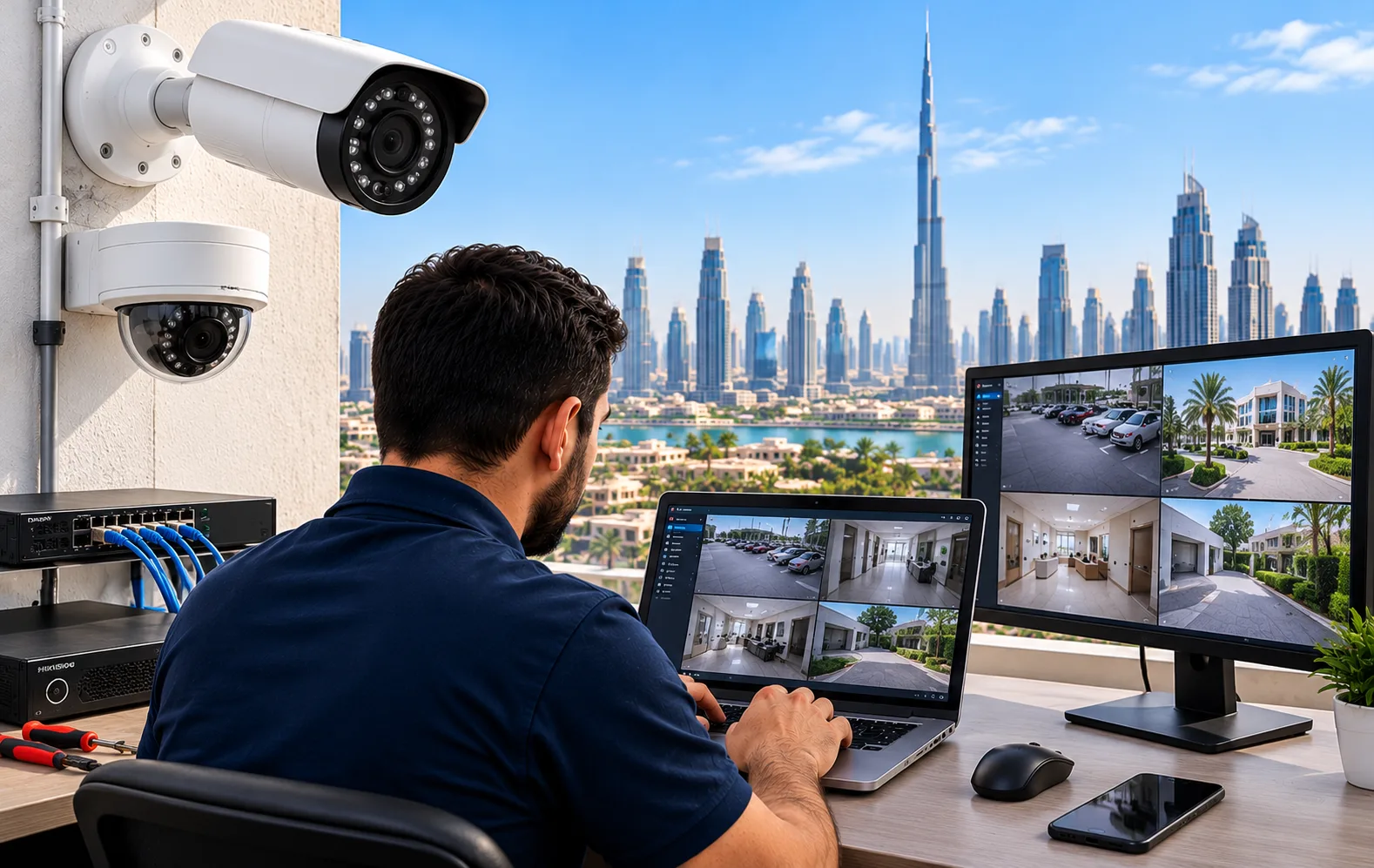
Hikvision is one of the most widely used CCTV brands in Dubai — and when something stops working, the fastest way to get cameras back online is often a Hikvision CCTV Remote Support Dubai service. Instead of waiting for an onsite technician, a remote specialist can diagnose the issue, reconfigure the DVR/NVR, and restore remote viewing from anywhere.
This guide walks through the most common Hikvision problems we see in Dubai every week — including specific error codes, Hik-Connect sync issues, and network configuration mistakes that cause cameras to drop offline. Every issue explained here is one we have personally resolved on real installations across Dubai Marina, Business Bay, JLT, and Arabian Ranches.
What This Guide Covers
- Hikvision CCTV Remote Support Dubai – Services Offered
- Common Hikvision CCTV Camera Problems We Troubleshoot
- Hikvision DVR and NVR Configuration
- Hik-Connect Device Offline Troubleshooting
- Hikvision Mobile Remote Viewing Setup
- Hikvision IP Camera Network Configuration
- How Our Hikvision CCTV Remote Support Dubai Works
- Hikvision CCTV Remote Support Dubai for Businesses
- Why Choose Our Hikvision CCTV Remote Support Dubai
- Hikvision CCTV Remote Support Dubai – FAQs
Hikvision CCTV Remote Support Dubai – Services Offered
Our Hikvision CCTV Remote Support Dubai service covers homes, offices, shops, warehouses, and villas across the city. We handle Hik-Connect troubleshooting, DVR/NVR remote setup, IP camera configuration, network support, and remote viewing problems.
What our Hikvision remote configuration service includes:
- Hikvision DVR configuration and NVR remote setup
- Hik-Connect troubleshooting and device registration
- Hikvision remote viewing setup for Android and iPhone
- Hikvision IP camera configuration and network support
- Hikvision camera offline fix — single camera or full system
- Hikvision P2P configuration and platform access troubleshooting
- Hikvision DVR network configuration and gateway/DNS setup
- Hikvision NVR offline troubleshooting and camera reconnect
- Hikvision CCTV remote maintenance for existing systems
- Hikvision CCTV remote access setup without port forwarding
Common Hikvision CCTV Camera Problems We Troubleshoot
These are the most common Hikvision camera connection problems we troubleshoot remotely. Each row reflects a real error pattern we have seen repeatedly in Dubai.
| Problem | What It Means |
|---|---|
| Camera shows offline in NVR | Camera channel lost network — usually PoE or IP conflict |
| Hik-Connect device offline | NVR/DVR not reaching Hikvision servers — DNS or platform access |
| NVR not detecting cameras | IP conflict, protocol mismatch, or PoE port failure |
| DVR not connecting to internet | Incorrect IP, gateway, or DNS settings |
| Camera disconnected from mobile app | App configuration or account binding issue |
| P2P connection failed | Platform access disabled or blocked by router |
| Camera authentication error | Incorrect password or unactivated device |
| Remote playback not working | Streaming, storage, or network configuration issue |
| Camera IP address conflict | Two devices using the same IP address |
| Camera not accessible outside WiFi | Remote access not enabled or P2P not working |
Hikvision DVR and NVR Configuration
DVR and NVR configuration is the foundation of any working Hikvision system. Proper configuration ensures reliable recording, stable remote access, and smooth Hik-Connect connectivity. Here is what we configure during a typical Hikvision remote session.
What Hikvision DVR and NVR remote configuration covers:
- Initial setup and device activation
- Camera channel configuration and naming
- Recording schedules and storage settings
- Motion detection and alert configuration
- User accounts and access permissions
- Network configuration — IP, subnet, gateway, DNS
- Hik-Connect platform access setup
- DDNS and secure remote access configuration
- Firmware updates and compatibility checks
- Device sharing and remote device management
If your Hikvision NVR or DVR is reachable over the internet, most of this work can be completed remotely within a short session. Physical installation of new hardware requires an onsite visit.
Hik-Connect Device Offline Troubleshooting
Hik-Connect device offline is one of the most common reasons people search for Hikvision CCTV Remote Support Dubai. When Hik-Connect shows a device offline, the DVR or NVR is unable to reach Hikvision's cloud servers — even though the local system may still be recording.
What causes Hik-Connect device offline:
- Incorrect DNS settings on the DVR/NVR
- Platform access (Hik-Connect) disabled
- Router firewall blocking the connection
- Device registered to another account
- Outdated firmware affecting compatibility
- ISP blocking the platform access port
How we fix Hik-Connect device offline:
- Verify and correct DNS to 8.8.8.8 or 1.1.1.1
- Enable platform access and confirm status shows Online
- Check the device is not registered to another account
- Update firmware if required
- Reconfigure router firewall or port rules
- Re-add the device in the Hik-Connect app if needed
Hikvision Mobile Remote Viewing Setup
Being able to view Hikvision CCTV cameras remotely is one of the most important features of any modern surveillance system. But Hikvision mobile viewing setup often runs into problems — especially after router changes or device resets.
We configure Hikvision remote viewing for:
- Hik-Connect app for Android and iPhone
- iVMS-4500 and iVMS-4200 mobile apps
- Desktop remote viewing via iVMS-4200 and web browser
- Cloud-based remote access for easier setup
- Sharing access with family, staff, or management
Common Hikvision mobile viewing problems we fix:
- Hikvision camera not connecting to mobile phone
- Hikvision camera not showing live view
- Hikvision camera stream unavailable
- Hikvision remote viewing stopped working
- Hikvision camera not accessible outside WiFi
- Hik-Connect verification code problem
Hikvision IP Camera Network Configuration
Hikvision IP camera network configuration is essential for keeping your CCTV system running reliably. IP cameras depend on a stable network, and small configuration errors can lead to cameras going offline, losing recording, or failing to show up remotely.
Hikvision IP camera and network issues we handle:
- Hikvision camera IP address conflict
- Hikvision camera network diagnostics
- Hikvision NVR network settings and gateway configuration
- Hikvision DNS settings and TCP/IP configuration
- Hikvision P2P connection failed
- Hikvision cloud connectivity issues
- Hikvision PoE camera connectivity
- Hikvision camera bandwidth problems
- Hikvision NVR not detecting IP cameras
- Hikvision camera disconnected from network
Most of these issues can be resolved remotely through the NVR interface or camera web interface. Physical cabling faults and PoE hardware failures require an onsite technician.
How Our Hikvision CCTV Remote Support Dubai Works
When you contact us for Hikvision CCTV Remote Support Dubai, here is how the process works:
Contact Us on WhatsApp
Describe your Hikvision model (DVR, NVR, IP camera) and the exact problem you see. We confirm whether remote troubleshooting or onsite support is required.
Remote Diagnosis
We connect securely to your Hikvision DVR/NVR and diagnose the exact cause — network configuration, Hik-Connect offline, IP conflict, or authentication issue.
Fix and Verify
We apply the fix, reconfigure the settings, and verify the cameras come back online on both the local monitor and the Hik-Connect mobile app.
Follow-Up Support
If anything goes wrong after the fix, we're available for follow-up support. Most Hikvision issues are resolved remotely within minutes.
Hikvision CCTV Remote Support Dubai for Businesses
Businesses across Dubai rely on Hikvision CCTV for security, compliance, and daily operations. Downtime is not an option — which is why many companies now use our Hikvision CCTV Remote Support Dubai service that combines remote and onsite support.
Business Hikvision support includes:
- Multi-camera system configuration
- Hikvision remote monitoring setup for offices
- Hikvision remote monitoring setup for warehouses
- Hikvision CCTV support for retail shops
- Hikvision CCTV technical assistance for villas
- Hikvision remote viewing solutions for businesses
- Hikvision remote configuration for commercial buildings
- Hikvision remote technical support for small businesses
- Hikvision DVR and NVR remote configuration Dubai
Remote support allows businesses to resolve many Hikvision CCTV issues without coordinating a technician visit — reducing downtime and keeping security systems running.
Why Choose Our Hikvision CCTV Remote Support Dubai
We are a Hikvision CCTV Remote Support Dubai specialist, focused on getting your cameras back online quickly and securely. Here is why customers across Dubai choose us:
- Faster response — remote sessions often begin within minutes
- Lower cost — no travel or onsite call-out fees for remote work
- No disruption — no technician needed on-site for software and configuration issues
- Secure — sessions are controlled and limited to your CCTV system
- Brand expertise — deep experience with Hikvision DVR, NVR, IP cameras, and Hik-Connect
- Available across Dubai — remote support works anywhere with internet access
Hikvision Remote Support Costs in Dubai
Pricing depends on the type of issue, the number of cameras, and whether support is remote or onsite. Remote support is usually cheaper than an onsite visit because no travel is required.
| Service | Pricing Basis |
|---|---|
| Remote Hikvision troubleshooting | Per-session |
| Hikvision DVR / NVR remote configuration | Per-device |
| Hik-Connect setup / mobile viewing | Per-system |
| Hikvision IP camera configuration | Per-camera |
| Hikvision network / remote access setup | Project-based |
| Onsite Hikvision diagnosis | Per-visit |
Contact us on WhatsApp with your Hikvision model, the error you see, and how many cameras are affected for an accurate quote. Every job begins with a free consultation.
Areas We Serve in Dubai
We provide Hikvision CCTV Remote Support Dubai wide — for homes, apartments, offices, retail shops, warehouses, and villas. Remote support is available anywhere with internet access.
Hikvision CCTV Remote Support Dubai – FAQs
How do I access Hikvision CCTV remotely?
Enable Hik-Connect (platform access) on the DVR or NVR, register the device using its serial number in the Hik-Connect app, and log in to view the cameras from your phone. If the device shows offline, check the DNS settings and platform access status.
Why is my Hikvision camera showing offline?
A Hikvision camera shows offline due to network disconnection, IP address conflict, incorrect DNS settings, platform access being disabled, firmware issues, or a damaged Ethernet cable. Checking the camera status in the NVR interface usually identifies the cause.
How do I fix Hik-Connect device offline?
Verify that the DVR/NVR has internet access, set a reliable DNS such as 8.8.8.8 or 1.1.1.1, confirm that Hik-Connect (platform access) is enabled and shows Online, restart the device, and re-add it to the app if necessary.
Can Hikvision CCTV cameras be configured remotely?
Yes — Hikvision cameras, DVRs, and NVRs can be configured remotely if they are reachable over the internet. Remote configuration includes camera settings, recording schedules, network parameters, mobile viewing, and firmware updates. Physical installation requires onsite support.
How do I connect Hikvision CCTV to my mobile phone?
Install the Hik-Connect app, log in, scan the QR code or enter the device serial number, and add the DVR or NVR. Make sure platform access is enabled on the device and the network connection is stable.
Why is Hik-Connect not working?
Hik-Connect not working is usually caused by the DVR/NVR losing internet access, incorrect DNS settings, platform access being disabled, firmware incompatibility, or the device being registered to another account.
How do I configure Hikvision NVR network settings?
Open the NVR menu, go to Network settings, and configure the IP address, subnet mask, gateway, and DNS. Use a static IP in the same range as your router, and set DNS to 8.8.8.8 or 1.1.1.1 for reliable platform access.
How do I reconnect Hikvision CCTV after changing my router?
After changing the router, update the DVR/NVR IP address, gateway, and DNS to match the new network. Verify that platform access is enabled, restart the device, and re-check the Hik-Connect status.
Can a technician troubleshoot Hikvision CCTV online?
Yes — a technician can troubleshoot Hikvision CCTV online through a secure remote session. This covers network configuration, Hik-Connect setup, DVR/NVR settings, IP camera configuration, and remote viewing issues. Physical hardware faults require an onsite visit.
Why is my Hikvision DVR not connecting to the internet?
A Hikvision DVR not connecting to the internet is usually caused by incorrect IP, gateway, or DNS settings, a disconnected Ethernet cable, router firewall rules, or platform access being disabled.
How do I enable remote viewing on Hikvision CCTV?
Enable platform access (Hik-Connect) on the DVR/NVR, register the device in the Hik-Connect app using its serial number, and verify the device status shows Online. The device must have a working internet connection and correct DNS settings.
How do I fix Hikvision camera IP conflicts?
A Hikvision camera IP conflict occurs when two devices share the same IP address. Assign a unique static IP to the camera within the same subnet as the NVR, save the setting, and restart the camera.
Why is my Hikvision NVR not detecting cameras?
Hikvision NVR not detecting cameras is usually caused by incorrect IP addresses, protocol mismatches, PoE port issues, damaged cables, or authentication errors. Checking the camera list in the NVR and matching credentials resolves most cases.
How much does Hikvision remote support cost in Dubai?
Hikvision remote support cost in Dubai depends on the type of issue, the number of cameras, and the configuration required. Remote support is generally cheaper than onsite visits because no travel is involved.
Who provides Hikvision CCTV Remote Support Dubai?
Faizan Digital Solutions provides Hikvision CCTV Remote Support Dubai wide, including Hik-Connect troubleshooting, DVR and NVR configuration, IP camera setup, remote viewing, and network support.
Contact and Booking
Get in Touch
Need general CCTV remote support instead?
See CCTV Remote Support Services in Dubai