
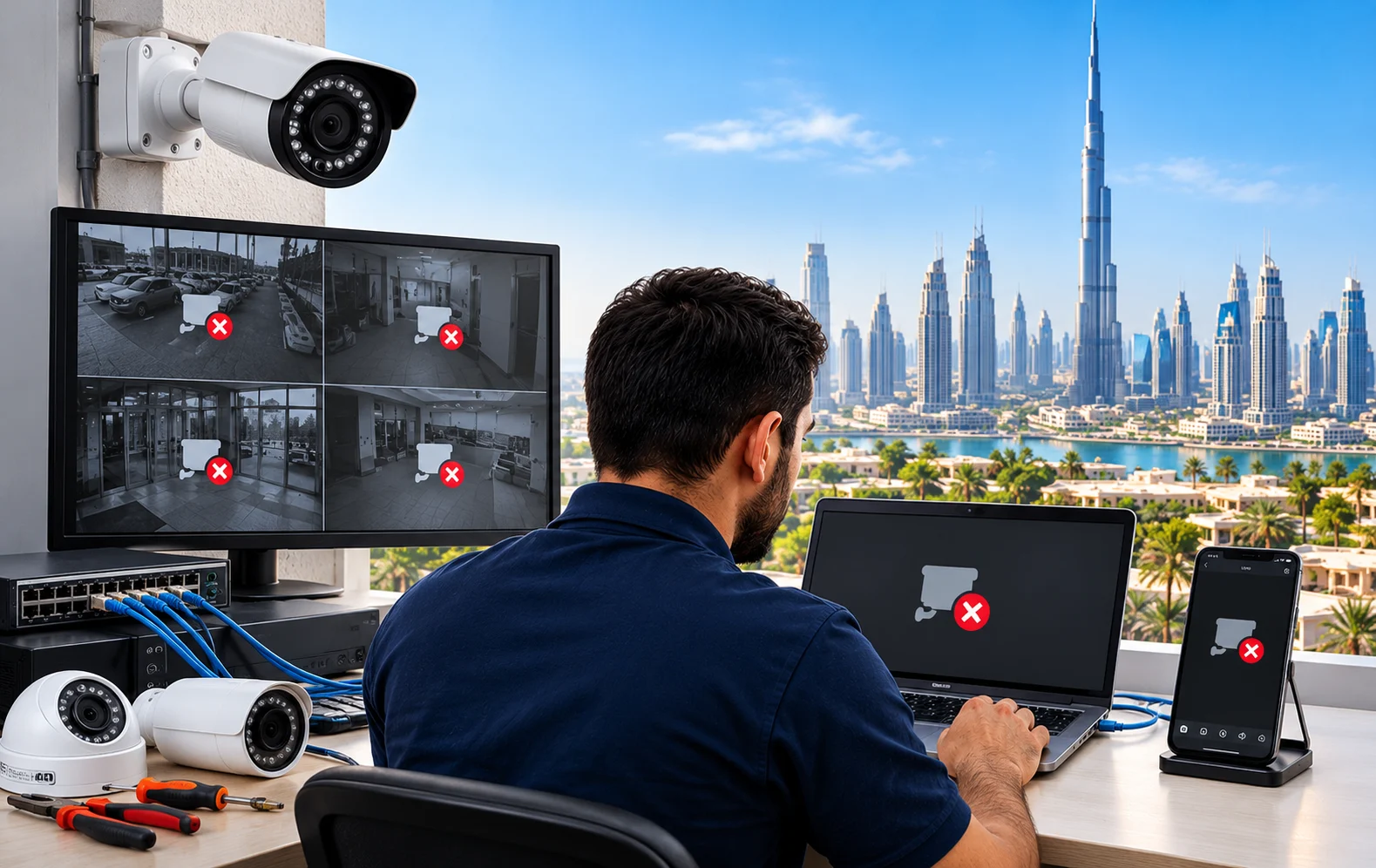
When a CCTV camera goes offline, security coverage stops — and that is a serious problem for homes, offices, retail shops, warehouses, and villas across Dubai. If you are searching for a reliable CCTV camera offline fix Dubai service, the good news is that most offline issues can be diagnosed and resolved quickly, often without an onsite visit.
This guide explains why CCTV cameras go offline, what causes CCTV camera connection problems, how professional CCTV remote troubleshooting Dubai works for Hikvision, Dahua, DVR, and NVR systems, and how to get help today.
What This Guide Covers
- Why Is Your CCTV Camera Showing Offline?
- Common Causes of CCTV Camera Connection Problems
- Professional CCTV Camera Offline Fix Services in Dubai
- Hikvision CCTV Camera Offline Troubleshooting
- Dahua CCTV Camera Offline Remote Support
- CCTV DVR and NVR Offline Connection Problems
- CCTV Camera Offline on Mobile App – How to Fix It
- Can CCTV Camera Offline Problems Be Fixed Remotely?
- Our CCTV Remote Troubleshooting Process
- Frequently Asked Questions About CCTV Camera Offline Issues
Why Is Your CCTV Camera Showing Offline?
A CCTV camera showing offline means the system has lost communication with the camera. This can happen for a wide range of reasons — some are simple to fix, others require professional attention. When your CCTV camera is not working in Dubai, the first step is to determine whether the problem affects one camera or the whole CCTV system.
If only one camera is offline, the issue is usually local — power, cable, PoE, or that specific camera's network settings. If all cameras are offline, the problem is more likely with the DVR/NVR, router, internet connection, or P2P/DDNS configuration.
Common Causes of CCTV Camera Connection Problems
Understanding the root cause is essential for a proper CCTV camera offline fix. Here are the most common reasons CCTV cameras go offline in Dubai:
| Cause | What It Means |
|---|---|
| Power failure | Camera power adapter, PoE injector, or PoE switch has failed |
| Network cable damage | Ethernet cable between camera and switch/NVR is damaged or loose |
| Router restart or replacement | Camera lost its IP address after the router restarted or was replaced |
| IP address conflict | Two devices on the network are using the same IP address |
| WiFi signal loss | Wireless camera lost connection to the WiFi network |
| Internet outage | ISP connection lost, so DVR/NVR cannot reach remote servers |
| P2P or DDNS failure | Remote viewing connection has stopped working |
| Firmware issue | Camera or DVR/NVR firmware has crashed or become outdated |
| PoE switch failure | PoE switch has failed, cutting power and network to cameras |
| Mobile app issue | App configuration, Hik-Connect or DMSS error, or account issue |
Many of these CCTV camera connection problems can be fixed remotely. Others — such as damaged cables or failed power supplies — require an onsite technician.
Professional CCTV Camera Offline Fix Services in Dubai
Our CCTV camera offline fix Dubai service covers the full range of CCTV remote support services for homes and businesses across Dubai. We handle Hikvision CCTV offline fix, Dahua CCTV offline fix, DVR troubleshooting, NVR troubleshooting, IP camera troubleshooting, and security camera offline repair.
Our CCTV remote support services include:
- CCTV camera offline fix — remote and onsite
- CCTV remote troubleshooting Dubai — fast diagnosis
- Hikvision CCTV offline fix and Hik-Connect configuration
- Dahua CCTV offline fix and DMSS configuration
- DVR troubleshooting and NVR troubleshooting
- IP camera troubleshooting and network configuration
- CCTV remote access setup and P2P configuration
- CCTV camera reconnect service and connection failed fixes
- CCTV mobile viewing problem resolution
- Security camera offline repair Dubai — brand-independent
- CCTV network troubleshooting and IP configuration
- CCTV internet connection problem diagnosis
Hikvision CCTV Camera Offline Troubleshooting
Hikvision is one of the most widely used CCTV brands in Dubai. When you need a Hikvision CCTV camera offline fix, the troubleshooting steps typically involve checking the camera status in the NVR interface, the Hik-Connect platform access status, the network settings, and the firmware version.
Hikvision CCTV offline fix checklist:
- Camera status in NVR: A red icon means the camera channel is disconnected.
- Hik-Connect status: If Hik-Connect shows offline, the NVR is not reaching Hikvision servers.
- DNS settings: Incorrect DNS is a common cause of Hik-Connect offline errors. Use 8.8.8.8 or 1.1.1.1.
- Platform Access: Ensure Hik-Connect is enabled and shows "Online" in the NVR menu.
- Firmware update: Outdated firmware can cause connection drops.
- Network cable: Check the Ethernet cable between the camera and the NVR/switch.
If the Hikvision camera shows offline in the NVR but is powered, the issue is usually a network cable, IP conflict, or PoE problem.
Dahua CCTV Camera Offline Remote Support
Dahua NVR and camera offline issues often relate to P2P connectivity, DDNS, or network configuration. Dahua CCTV camera offline remote support typically starts with checking the P2P status, DNS settings, and the DMSS app configuration.
Dahua CCTV offline fix checklist:
- P2P status: In the NVR menu, verify that P2P shows "Online."
- Restart the NVR: Power cycle the device and check whether P2P reconnects automatically.
- DNS settings: Use 8.8.8.8 or 1.1.1.1 to ensure the NVR can reach Dahua's servers.
- DMSS app: Remove and re-add the device in DMSS if it consistently shows offline.
- Camera channel: If only one camera is offline, the issue is likely local — cable, power, or PoE.
CCTV DVR and NVR Offline Connection Problems
CCTV DVR offline problems and CCTV NVR offline troubleshooting are among the most common requests we receive. When the DVR or NVR itself goes offline, the issue is usually related to the network connection between the device and the internet.
Common DVR and NVR offline problems:
- DVR not connecting to internet in Dubai
- NVR showing offline on mobile application
- CCTV device offline on Hik-Connect
- CCTV device offline on DMSS
- DVR internet connection failure
- NVR network configuration error
- CCTV P2P connection problem
- CCTV cloud connection problem
- CCTV remote viewing failure
Most DVR and NVR offline issues can be resolved remotely by reconfiguring the network settings, correcting the DNS, updating the firmware, or reconfiguring the P2P/DDNS connection.
CCTV Camera Offline on Mobile App – How to Fix It
If your cameras are working on the local monitor but show offline on the mobile app, the issue is between the DVR/NVR and the internet — not with the cameras themselves. Common mobile viewing problems include CCTV camera offline on phone, CCTV live view unavailable, and CCTV mobile application errors.
How to fix CCTV camera offline on mobile app:
- Log out and log back into the mobile app
- Remove and re-add the device using its serial number or QR code
- Check that the DVR/NVR is connected to the internet
- Verify P2P, DDNS, or cloud access is enabled in the DVR/NVR
- Update the mobile app to the latest version
- Check the app's permissions — some apps need network access permissions
- Test the same account on a different phone to isolate the issue
- Verify the Hik-Connect offline status or DMSS offline error
If the app still shows offline after these checks, the DVR/NVR's remote access configuration needs to be reviewed by a technician.
Can CCTV Camera Offline Problems Be Fixed Remotely?
Yes — many CCTV camera offline issues can be fixed remotely. When the DVR or NVR is connected to the internet, a technician can perform remote CCTV camera troubleshooting without a site visit. This includes:
- Diagnosing IP address conflicts and network settings
- Reconfiguring P2P, DDNS, or cloud connectivity
- Adjusting camera channel settings
- Updating firmware
- Resetting mobile app configurations
- Verifying remote viewing and playback
- Fixing Hik-Connect offline status and DMSS device offline errors
Remote CCTV camera offline troubleshooting is faster than onsite and often cheaper. However, issues caused by damaged cables, failed power supplies, or hardware faults require an onsite technician.
Our CCTV Remote Troubleshooting Process
When you contact us for a CCTV camera offline fix Dubai, here is how the process works:
Contact Us on WhatsApp
Describe your CCTV brand, model, and the offline error you see. We confirm whether remote troubleshooting or onsite support is required.
Remote Diagnosis
We connect securely to your DVR/NVR and diagnose the exact cause — network configuration, IP conflict, P2P failure, or firmware issue.
Fix and Verify
We apply the fix, reconfigure the settings, and verify the camera comes back online on both the local monitor and mobile app.
Follow-Up Support
If anything goes wrong after the fix, we are available for follow-up support — most issues are resolved remotely within minutes.
CCTV Camera Offline Fix Dubai – Pricing
Pricing for CCTV camera offline fix Dubai depends on the type of issue, the number of cameras, and whether support is remote or onsite. Remote troubleshooting is usually cheaper since no travel is required.
| Service | Pricing Basis |
|---|---|
| Remote CCTV camera offline troubleshooting | Per-session |
| Hikvision / Dahua DVR & NVR configuration | Per-device |
| Mobile app / remote viewing setup | Per-system |
| IP camera network configuration | Per-camera |
| Onsite CCTV diagnosis | Per-visit |
Contact us on WhatsApp with your CCTV brand, model, and error message for an accurate quote. Every job begins with a free consultation.
Areas We Serve for CCTV Camera Offline Fix in Dubai
We provide CCTV remote troubleshooting Dubai wide — for homes, apartments, offices, retail shops, warehouses, and villas. Remote support is available anywhere with internet access.
Frequently Asked Questions About CCTV Camera Offline Issues
Why is my CCTV camera showing offline?
A CCTV camera shows offline due to network disconnection, IP address conflict, power failure, router restart, damaged Ethernet cable, WiFi signal loss, P2P or DDNS failure, or corrupted firmware. Identifying whether one camera or the entire system is affected helps narrow down the cause.
How do I fix an offline CCTV camera?
Check the camera's power supply and network cable first. Restart the camera, DVR, or NVR. Verify the IP address settings and confirm the router is working. If the camera still shows offline, a technician can perform CCTV remote troubleshooting to diagnose the exact cause.
Can CCTV cameras be fixed remotely?
Yes — many CCTV camera offline issues can be fixed remotely, including network configuration, IP address conflicts, DVR/NVR settings, P2P connectivity, mobile app problems, and remote viewing configuration. Physical faults such as damaged cables or failed power supplies require an onsite technician.
Why does my Hikvision camera keep going offline?
A Hikvision camera keeps going offline due to network instability, incorrect DNS settings, Hik-Connect platform access being disabled, outdated firmware, or an IP address conflict. Checking the camera status in the NVR interface and verifying the Hik-Connect status usually identifies the cause.
How do I reconnect my Dahua CCTV camera?
Restart the Dahua NVR and check the P2P status in the NVR menu. Verify the camera channel status in the NVR interface. If the P2P status shows offline, confirm the DNS settings (use 8.8.8.8 or 1.1.1.1) and check that the DMSS app is correctly configured.
Why is my CCTV not connecting to the internet?
CCTV not connecting to the internet is usually caused by router issues, incorrect DNS settings, ISP outages, or network configuration errors. Restart the router and verify the DVR/NVR network settings. If the issue persists, remote troubleshooting can diagnose the exact cause.
How do I fix CCTV remote viewing problems?
CCTV remote viewing problems are usually caused by incorrect P2P or DDNS configuration, router firewall settings, an expired cloud account, or an outdated mobile app. Reconfiguring the remote access settings or updating the app usually resolves the issue.
Can a CCTV technician fix camera problems online?
Yes — a CCTV technician can fix many camera problems online through a secure remote session. This includes network configuration, DVR/NVR troubleshooting, remote viewing setup, mobile app configuration, firmware updates, and password recovery. Only physical faults require an onsite visit.
What causes CCTV cameras to go offline?
CCTV cameras go offline due to power failures, network disconnection, cable damage, router restarts, IP address conflicts, firmware crashes, PoE switch failures, WiFi signal loss, or P2P/DDNS connectivity issues. Diagnosing whether one camera or all cameras are affected helps identify the cause.
How much does CCTV remote troubleshooting cost in Dubai?
CCTV remote troubleshooting cost in Dubai depends on the complexity of the issue, the number of cameras, and the type of system. Remote support is generally cheaper than onsite visits because no travel is required. Contact us for a quote based on your specific system.
Why is my CCTV camera offline after changing the router?
When the router is changed, the camera's IP address, gateway, or DNS settings may no longer be valid. The DVR/NVR also needs updated network settings. Reconfiguring the IP address and updating the port forwarding or P2P settings usually resolves the issue.
How do I bring my security camera back online?
Check the power supply and network cable first. Restart the camera, DVR, and router. Verify the camera's IP address in the DVR/NVR interface. If the camera still shows offline, a remote CCTV technician can diagnose and fix the issue without an onsite visit.
Why is Hik-Connect showing my device offline?
Hik-Connect shows a device offline when the DVR/NVR cannot reach Hikvision servers. Common causes include incorrect DNS settings, platform access being disabled, router firewall blocking the connection, or an outdated firmware. Checking the platform access status and DNS settings usually resolves the issue.
How do I fix a DMSS device offline error?
A DMSS device offline error usually means the Dahua DVR/NVR cannot reach Dahua servers. Verify the P2P status in the NVR menu, check DNS settings, restart the NVR, and remove and re-add the device in the DMSS app. If the issue persists, remote support can reconfigure the settings.
Can I troubleshoot a CCTV NVR remotely?
Yes — a CCTV NVR can be troubleshooted remotely if it is connected to the internet. A technician can access the NVR interface through a secure session, check camera channel status, reconfigure network settings, update firmware, and verify remote viewing. Only physical faults require an onsite visit.
Contact and Booking
Get in Touch
Need remote CCTV support for your business?
See CCTV Remote Support Services in Dubai